
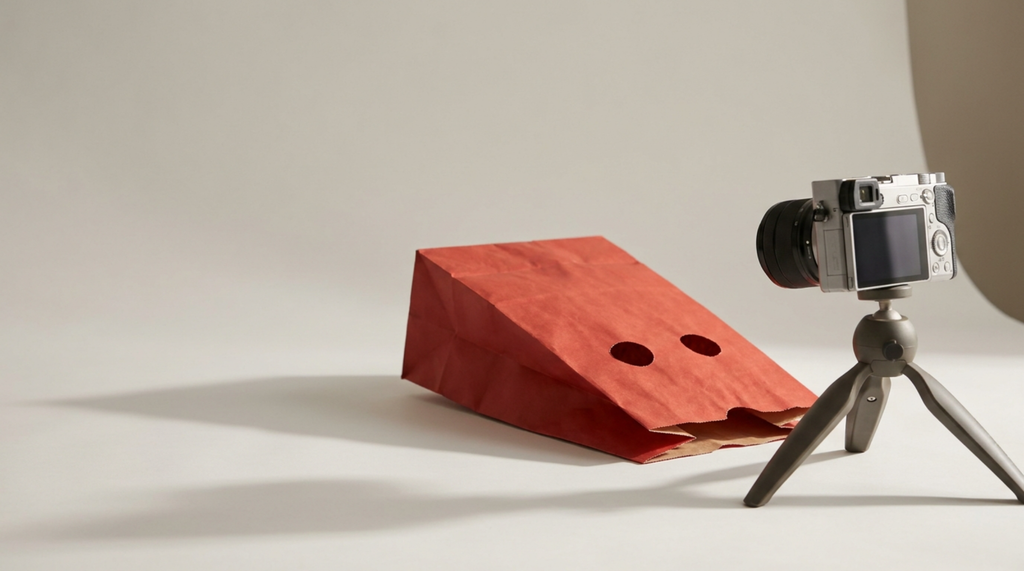
TL;DR:
- Being camera shy is a production problem more than a personality problem, and production problems have fixes.
- A fixed setup you don’t have to think about removes a lot of friction, and focus keeps fear at bay.
- Bullet-script instead of writing every word, then film in one batch on your highest-energy day of the week.
- Aim to carry a video with three to four minutes of on-camera time, not fifteen. B-roll, screen recording, and voiceover do the rest.
- Going faceless or handing the presenting to AI are real options, but taking them to avoid the discomfort costs you recognition now and keeps the discomfort permanent.
- Judge yourself on the retention graph, not how you feel watching the playback.
Most advice for camera-shy creators is some version of “just be yourself and push through.” It is not wrong, exactly, but it’s not helpful either and it does nothing to address the actual problem.
Getting comfortable on camera requires a mindset shift. But how does one bring about that mindset shift?!
In short, by controlling the controllables.
Discomfort in front of the lens is real but it’s also surmountable. It’s really a fear of the unknown, and a pile of small decisions that come before you hit record don’t help. If we can generalize, we’ll say that introverts tend to be good at systems and bad at improvising under observation, which means the fix is a setup and a routine, not a personality transplant.
But while we’re on the subject of improvisation — and while we won’t be covering improv in this article — facing the fear head-on by joining a beginner’s improv group or workshop would be a great way to address the fear head-on.
This guide covers how to build that setup, how much to script, how to batch your shoots so you only have to be “on” once a week, and how to cut the amount of finished video that has to come out of your face. If you want the tooling side of it handled too, TubeBuddy’s data on channels that use it shows creators averaging 86% more views and 55% more subscribers, largely because the tools take the guesswork out of everything that happens around the filming.
Introversion is not what is holding your channel back
Go to a creator event and you might be surprised by how quiet the room is between sessions. People with big on-camera personalities can present as reserved when the camera’s off.
That is worth sitting with. The performance you see in a video is a product of editing, repetition, and a format the creator has done two hundred times. You can’t compare your first few attempts on video to another creator’s 200th upload. Well, you can… but you shouldn’t.
It also helps to know what viewers actually leave over. When a video loses people in the first thirty seconds, the cause is almost always that the topic was not what they wanted or the opening took too long to get to it. Low energy in the delivery is a risk, but it’s not the biggest risk and on-camera energy is something that can be learned. Fixing your hook and your topic will move your audience retention far more than becoming 20% more animated ever will.
In short, work on what the video is about and how fast you’re getting to the point before you worry too much about your stage presence.
Build a recording setup you don’t have to think about
A lot of the dread that can come with filming is actually just decision overload. Where does the light go, is this the right lens, are my camera settings right, is the mic too close/too far/too low/too high, is the background right?
Each of these is a decision you can make once, create as a checklist, and then not worry about again.
So pick a location and a setup and make it easy to replicate without thinking:
- Mark the tripod legs on the floor with tape so the framing is identical every time.
- Mark your chair position too. Same distance, same eyeline, every shoot.
- Use one light in one place. A single key light slightly off to one side, at your eye level, beats a three-point setup you re-rig every week. If you are choosing one, our lighting guide covers the options.
- Leave the mic mounted. A mic you have to set up is a mic that costs you fifteen minutes of enthusiasm. Bad audio drives people away faster than a plain background does, so this is the one place to spend money first. See our mic roundup and, for what you genuinely need on day one, the first-video equipment list.
- Fix the background once. Whatever is behind you on video one should be behind you on video fifty. Consistency reads as professional and removes a weekly tidying task.
- Write down your camera settings on a card taped to the tripod. Resolution, frame rate, white balance, done.
The goal is that starting a shoot means sitting down and pressing one button. Everything you have to decide in the moment is a small tax on the energy you need for the actual talking.
Script to the level that helps you, and no further
Word-for-word scripts are a trap for camera-shy creators. They feel safe, then they punish you, because now every take can fail in a new way and you can hear yourself reciting. The delivery goes flat and you notice it, which makes the next take worse.
Bullet scripts work better for most people:
- Write the first two sentences word for word. The opening is the part that gets re-recorded nine times, so remove the improvisation from exactly there and nowhere else.
- Reduce everything after that to six to ten bullets, one per idea, in the order you will say them.
- Write the closing line out in full too. Endings are the other place people fumble.
- Say each bullet once, badly, before you record. A quick out-loud pass finds the sentences that do not survive contact with your mouth.
If reading feels more natural to you than remembering, use a teleprompter app on a phone or tablet mounted directly under the lens. There is no purity award for memorizing. Plenty of full-time creators read every word and nobody watching can tell, because the eyeline is right and the pacing is theirs.
One more thing worth borrowing: keep a running note of openings that worked. Our collection of video hooks is a reasonable starting bank if you would rather adapt a proven structure than invent one at 9pm.
Film everything on your one good day
The original version of this advice was “shoot when you feel energized.” It’s not bad advice but it has an escape clause built in. Instead, shoot on a schedule.
If you have a semi-predictable window where social energy is highest and a predictable slump after it is spent. that’s your sweet spot:
- Watch yourself for two weeks and note the time of day when talking to people felt easiest. That is your filming window.
- Put every shoot in that window, the same day each week, in your calendar as a real appointment.
- Nothing that drains you goes before it. No calls, no meetings, no customer email. The two hours before your shoot belong to the shoot.
- Batch three or four videos in that one session. Same setup, same clothes changed between takes if you care about that, all the talking done in one sitting.
- Do the editing on a different day. Editing is quiet solo work and it does not need your social battery.
Batching is the single highest-leverage change most camera-shy creators make. It converts filming from a weekly emotional event into a monthly one, and it means you are never publishing a video that you shot on a day you felt terrible. A simple content calendar is enough to hold the schedule together.
In short, you have the power to decide to be on camera once a month rather than trying to talk yourself into it once a week.
Cut the on-camera minutes, not the video
A ten-minute video does not need ten minutes of your face. Most well-made videos in tutorial, explainer, review, and list formats carry only a few minutes of talking head, and the rest is footage of the thing being discussed.
Rough targets that work:
- Three to four minutes of on-camera time is plenty for a video in the eight to twelve minute range.
- Open on camera for the first fifteen to thirty seconds so viewers meet you, then cut away.
- Cover everything demonstrable with b-roll or a screen recording, narrated by voiceover recorded separately.
- Record voiceover in a different session from the on-camera work. It is much easier, you can redo a line in seconds and it’s less socially demanding.
- Return to camera for the close.
That is how most polished channels are already built, and it happens to reduce the part you find hard by about two thirds. If your audio is the weak link once you lean on voiceover, free AI audio enhancement will get you further than a new microphone.
Should you go faceless? Or use an AI avatar?
If you are camera shy, there are a couple of what seem like easy outs. One is going faceless, the other is using an AI avatar. This could mean a synthetic voice over stock footage or a generated avatar reading your script. Both are real options but depending on the kind of content you want to create, neither is the answer.
It really comes down to motive.
Choosing a faceless format because it’s the right fit for the type of videos you want to create is a production decision. Choosing it because the camera is uncomfortable is an avoidance decision.
Going faceless
Faceless formats can work. Screen recordings, tutorials, hands-only demonstrations, archive and commentary channels, animation. Several very large channels have never shown a face, and on a software tutorial channel the screen is the content, so a talking head would only be in the way.
What it costs you is recognition. A face is the shortest route to a viewer remembering you and your channel specifically, and that recognition is what turns a view into a returning viewer, a returning viewer into a subscriber, and a subscriber into someone who buys a membership or watches a sponsored segment through to the end. Brand deals in particular are usually paying for a person. A faceless channel is also easier for someone else to copy wholesale, because there is nothing in it that only you have.
Discomfort in front of a camera can be overcome with repetition, reliably, and faster than you might expect. Take the escape hatch and you never bank the reps, so the discomfort stays exactly where it is and the door stays shut.
If the format calls for it, go faceless and commit. If you are choosing it to avoid a feeling, try the system in this post for a month first, then decide.
Letting AI present for you
This one is more tempting and less defensible. An AI voice or a generated presenter removes the discomfort completely, which is precisely the problem, because it also removes the one thing that was going to carry the personality your face was not carrying.
It is also the pattern YouTube is actively targeting. The platform has tightened how it treats “mass-produced, inauthentic” content, and the channels getting caught are the ones stacking a synthetic voice on stock footage with no original point of view. Faceless is fine. Faceless and effortless is what gets demonetized. Our breakdown of what the AI demonetization policy actually means covers where the line currently sits, and it is worth reading before you build a channel on the wrong side of it.
The best advice is to use AI to help with the work that goes into creating great videos — things like scripting, audio cleanup, to cut filler words, to draft thumbnail concepts. Don’t outsource anything relating to personality. Not only are viewers less likely to care but you put yourself at risk of being swept up in YouTube’s current (or next) AI demonetization crackdown.
Your voice, your writing, and your research can absolutely carry a channel without your face, and those are quiet skills that suit an introvert well. What cannot carry a channel is the absence of all four.
Move the feedback loop off your face and onto the data
Watching your own playback and cringing is an uncomfortable feeling. It’s also a great way to talk yourself out of the next video. And it’s useless as feedback, because you are the only viewer in the world who knows what you meant to say.
Replace it with something measurable:
- Read the audience retention graph, not your face. Where people leave tells you what to fix. How you feel or felt isn’t data.
- Compare your opening to your own average, not to a creator with a million subscribers and an editor.
- Test the packaging separately from the performance. Titles and thumbnails decide whether anyone arrives at all, and they are fixable without re-filming. TubeBuddy’s A/B testing is on the Legend plan and it is the fastest way to find out whether the video was the problem or the packaging was.
Worth knowing if you use YouTube’s own Test & Compare alongside it: it picks its winner on share of overall watch time, not on click-through rate. Most articles on the subject get that backwards. A thumbnail that wins on clicks and loses on watch time will lose the test, which is the right outcome and not what most creators expect.
Start with the tape on the floor
You do not need to become a different person on camera. You need a corner of a room that is always ready, a script that supports you without trapping you, one day a week where being “on” is the job, and a format that only asks for three minutes of your face. Every one of those is a system, and systems are the thing introverts are already good at.
The only way out is through, as they say.
FAQ: YouTube for introverts: how to get comfortable on camera
Yes, and a large share of full-time creators describe themselves that way. Talking to a camera is a different activity from talking to a room, and many introverts find it substantially easier because it is solo, repeatable, and editable. What separates the channels that work from the ones that stall is consistency and topic choice, and neither of those depends on being outgoing.
The discomfort comes from hearing yourself through air rather than through your own skull, and it fades with exposure faster than almost anything else on this list. Watch your own footage in short passes with a specific job to do, like checking pacing or finding filler words, rather than watching it as a viewer. Reviewing with a task attached removes most of the sting.
No, and faceless channels grow perfectly well when the format genuinely suits the content, as it does for tutorials, screen recordings, and hands-only demonstrations. The question worth asking is why you are choosing it. Going faceless because the format calls for it is a production decision. Going faceless to avoid the camera costs you the recognition that turns viewers into subscribers, and it leaves the discomfort permanently in place, since the only thing that reduces it is repetition.
For the presenting itself, no. It removes the discomfort and the personality at the same time, and it puts you in the category YouTube’s mass-produced and inauthentic content policies are aimed at, which is synthetic narration over stock footage with no original point of view. AI is genuinely useful on the work around the video, including scripting help, audio cleanup, filler-word removal, and thumbnail concepts. Keep it out of the presenter’s chair.
For most camera-shy creators, a teleprompter mounted directly under the lens is the better option, and viewers cannot tell as long as your eyeline stays close to the camera. Memorization tends to produce a recital cadence unless you rehearse far more than the video is worth. Write the opening and closing word for word, and bullet the middle.
Fewer than you are doing now. Try setting a hard limit of three takes per section, then move on and fix the rest in the edit. An unlimited-takes policy means the shoot ends when your energy runs out rather than when the video is finished, which is the pattern that makes filming feel awful in the first place.