
Have you ever asked yourself “why is my YouTube video not getting views?” The answer may be simpler than you think. It’s probably not effort or consistency. It is not even necessarily the quality of the video itself (though video quality is key). More often, the issue comes down to three specific mistakes:
- A weak topic angle
i.e. a video without a clear purpose - Poor video “packaging”
i.e. a video that doesn’t grab attention - Treating upload day like the finish line instead of the starting point
i.e. trusting to fate instead of helping it along
A video can be useful, well-edited, and valuable but will underperform if people are not compelled to click or if the topic is framed in a forgettable way. Small changes to the title, thumbnail, or positioning can completely change a video’s trajectory.
Knowing that is one thing. Knowing what to do about it is another. So let’s get into it.
This guide breaks down those three mistakes in detail, using real examples and a practical framework you can apply to every upload. If you have ever wondered “why is my YouTube video not getting views?” this is where to start.
tl;dr – Why is my YouTube video not getting views?
- A lot of creators asking why is my YouTube video not getting views are actually dealing with a topic, packaging, or iteration problem.
- The same video can perform very differently depending on how the idea is framed in the title and thumbnail.
- Boring topic positioning reduces curiosity, even when the content itself is strong.
- Poor packaging usually shows up as low click-through rate, even when watch time, retention, and engagement are solid.
- A strong thumbnail is typically colorful, legible, emotional, uncluttered, and understandable without the title.
- Your work is not done when you publish. Testing new titles, thumbnails, descriptions, and tags can unlock more views after upload.
- TubeBuddy’s CTR opportunity and A/B testing tools are designed to help identify and improve underperforming packaging.

Get an unfair advantage on YouTube
Give your YouTube channel the upper hand and easily optimize for more views, more subs, and more of every metric that matters.
Get Started
Mistake #1: Framing your topic in a boring way
One of the most common answers to why is my YouTube video not getting views is that the topic is being presented in an uninteresting way.
That doesn’t mean you need to resort to stunts, giveaways, or shock tactics. It means you need to present the same underlying idea through a stronger angle. A strong frame creates curiosity. A weak frame is vague and/or forgettable. If you’re talking technical details, you probably have a weak frame.
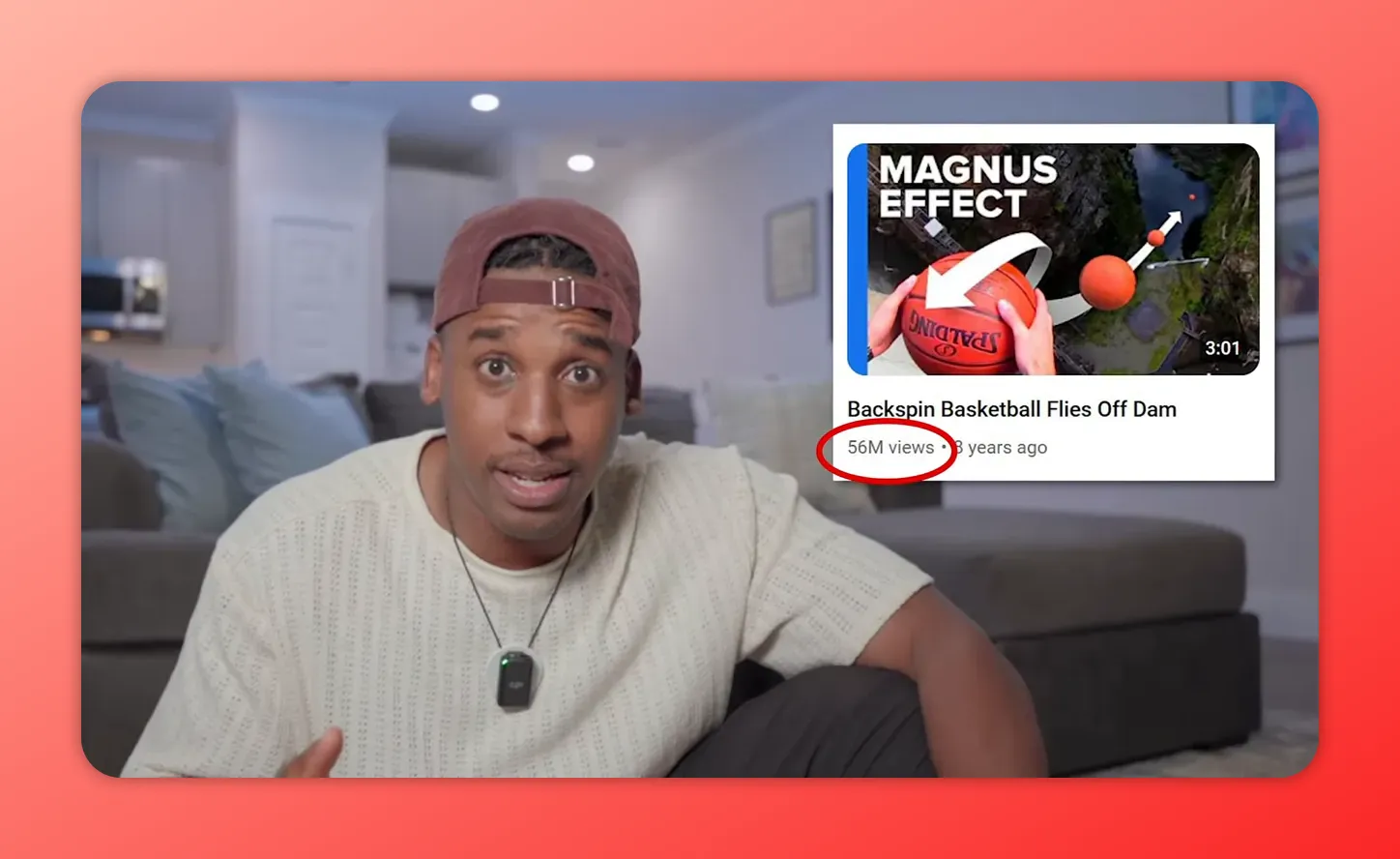
A clear example comes from Veritasium. A science video originally titled The Strange Applications of the Magnus Effect struggled. After the title was changed to Backspin Basketball Flies Off Dam and the thumbnail was replaced with a much more compelling image, the exact same video went on to generate tens of millions of views. The content didn’t change. Only the frame.
The short version: people don’t respond only to information. They respond to how that information is presented.
Why framing changes everything
Psychologists call this the framing effect: people make different decisions based on how the same information is presented. On YouTube, that means the difference between a video being ignored and a video getting clicked can come down to wording, emphasis, and point of view.
If your title sounds like a textbook heading, your video is an easy skip for most viewers. If the title highlights a surprising result, strong opinion, or unusual outcome, the exact same subject becomes far more interesting.
That is also why so many of the strongest titles are not merely descriptive. They are directional. They push a clear idea.
You need something that makes people stop and think, “What?” and click.
That principle shows up in advice commonly associated with MrBeast’s approach to ideation and titling: weak phrasing states a topic, while strong phrasing creates a reaction. “I like bananas” is flat. “Bananas are the best food on the planet” will be hard to prove but it does make a person pause. The point is not to be ridiculous for its own sake. The point is to create tension, novelty, or curiosity.
Here is a practical example. A video about setting up a YouTube channel page could be titled How to set up a YouTube channel page. It’s clear and honest but it’s not compelling. Reframing that same idea as Do this to get 1,000 subscribers faster — no uploading gives the topic a much stronger hook. Same underlying lessons but with a more compelling reason to click.
If you are trying to solve why is my YouTube video not getting views, review your topic angles before you blame the algorithm. Sometimes the issue is not the subject. It is the framing.
For more title-and-thumbnail strategy around click-through rate, see this guide to optimizing YouTube thumbnails and titles for CTR.
Get an unfair advantage on YouTube
Give your YouTube channel the upper hand and easily optimize for more views, more subs, and more of every metric that matters.
Get Started
How to frame a topic so people care
Before you upload, pressure test your topic with these questions:
- Is the title stating the subject, or highlighting the most interesting part of it?
- Does the angle create curiosity, surprise, tension, or desire?
- Would the idea still make sense to someone who knows nothing about the niche?
- Is there a stronger outcome-focused way to position the same video?
If your title reads like a text book or a straight-forward description of the content, it needs work.
Mistake #2: Packaging your video poorly
The second major answer to why is my YouTube video not getting views is packaging. Even when a video is strong, poor packaging can suppress clicks and kill momentum.
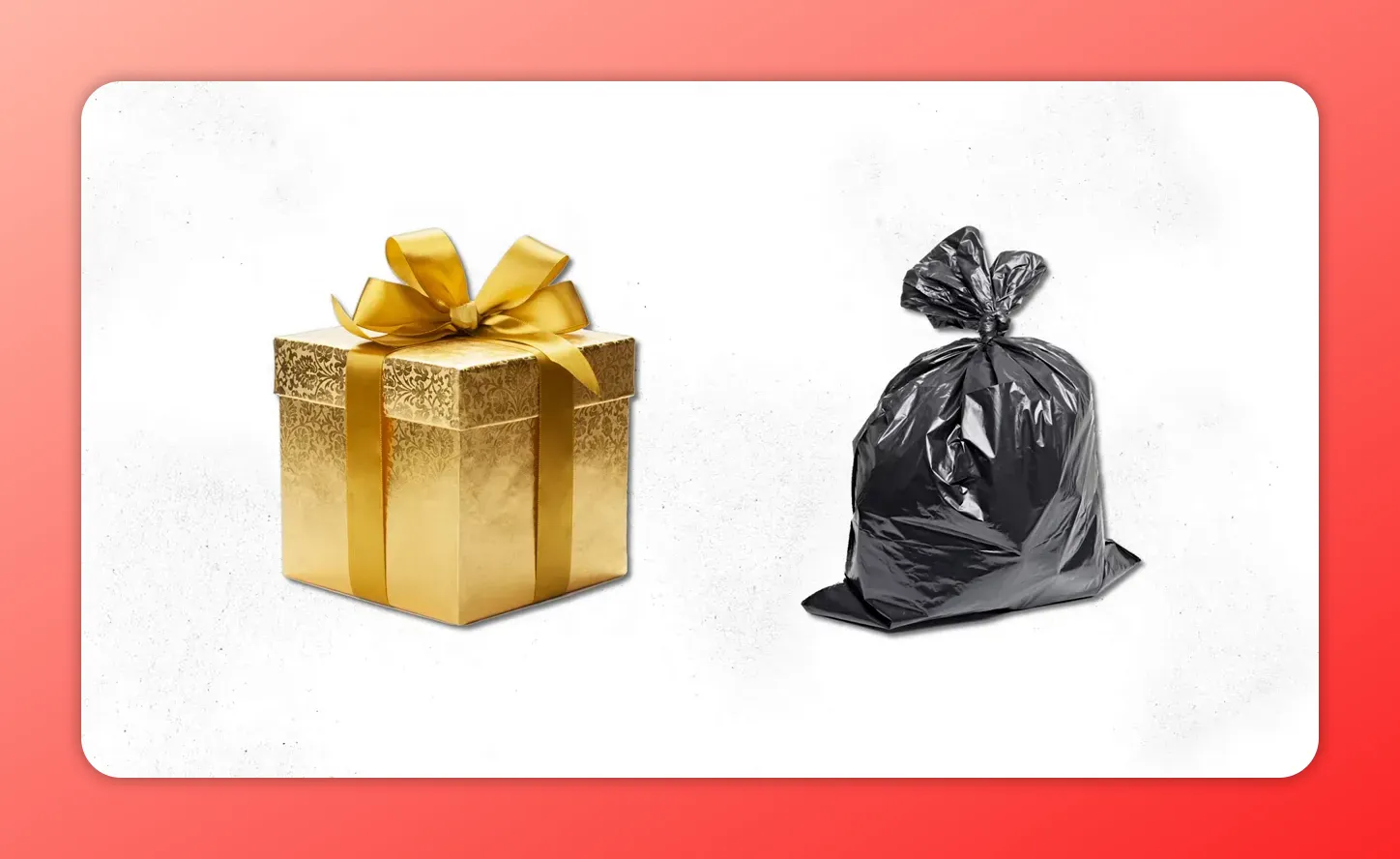
A useful way to think about packaging is gift wrapping. If one gift is beautifully wrapped and another is sitting in a trash bag, most people will choose the wrapped one first. The gift inside the trash bag might actually be better. It might be an iPhone, a car key, or cash. But bad packaging lowers expectations and fewer people will give your video a chance.
The same thing happens on YouTube. Many smaller creators pour hours into making something excellent, then present it with an unclear title and a weak thumbnail. The result is frustrating but predictable: the content may be amazing but most people aren’t going to take the leap of faith required to find that out.
If you have been asking why is my YouTube video not getting views, this is probably the first thing you should look at. A lot of underperforming uploads are not invisible because they lack value. They are invisible because they are packaged in a way that does not communicate their value or what makes them interesting to an audience.
If you want a deeper thumbnail-specific breakdown, TubeBuddy also has a strong companion article on creating click-worthy YouTube thumbnails.
So… why is my YouTube video not getting views?
Not every underperforming upload has the same issue but in broad terms, there are two main possibilities:
- A video problem
- A packaging problem
You likely have a video problem when the engagement signals inside the video are poor:
- Retention is low
- Average view duration is weak
- Feedback is negative
Engagement signals suggest people are not enjoying the content. Changing the title or thumbnail won’t change the content’s trajectory because the content itself is not satisfying people once they click.
When the opposite is true, that point’s to a packaging problem
- Watch time is solid
- Retention is healthy
- Impressions are coming in
- Comments and other engagement look good
But despite all these positives, the click-through rate (CTR) is unusually low. That means the people who do click tend to respond well. It’s just that not enough people are clicking. You need more.
That is a strong signal to revisit the title and thumbnail.
If you need help reading those signals, this article on YouTube analytics for small channels is worth bookmarking.
This distinction also lines up with how YouTube itself describes recommendation and search systems: satisfaction signals matter, but so does the initial click decision. You can explore more about how YouTube thinks about discovery and recommendations on the official YouTube blog.
The five elements of a clean thumbnail
There is no universal thumbnail formula that works in every niche, but there are five practical characteristics that consistently make thumbnails stronger and easier to understand.

1. Colorful
Use vibrant, eye-catching colors that stand apart from the visual noise of the homepage and search results. Don’t just boost the brightness or saturation. You’re going for contrast and clarity.
2. Legible
If your thumbnail includes text, keep it simple and easy to read. Avoid cursive or overly decorative fonts. As a rule, five words or fewer is the practical limit. The message should be understandable in a split second.
3. Emotional
A good thumbnail makes people feel something. That could be surprise, desire, excitement, disgust, curiosity, or urgency. For educational or strategy content, desire is often especially effective: show the outcome the person wants.
4. Uncluttered
Too many elements create confusion. Cut it down: fewer objects, less text, and a clearer focal point will yield a better result. Simplicity scales better on small screens.
5. Passes the “no-title test”
Your thumbnail should communicate the video’s basic idea without relying on the title to explain it. Since the image usually has to stop the scroll first, it needs to stand on its own.
That last point is especially important. If the thumbnail can’t make someone pause for a microsecond, they’ll never even see the title.
Why packaging is worth revisiting again and again
Packaging is great because it’s relatively easy to update and edit. Unlike the core content of a published video, packaging can be improved repeatedly. If the content is good, a better thumbnail or a sharper title can substantially improve performance.
But the trick is, you’ve gotta do it…
Mistake #3: Not “watering” your videos after upload
The third answer to why is my YouTube video not getting views is that you, like too many creators, move on after hitting publish.
Make it a habit to come back and check on your video performance. Spare some mental cycles for how you can improve it.
The idea comes from a simple science fair analogy: test different inputs and see what produces better growth. With YouTube, those inputs are your title, thumbnail, description, and tags. Small changes can lead to dramatically different outcomes.
Ssome videos sitting quietly on your channel may already have the core ingredients of a breakout upload. They just need better packaging.
In TubeBuddy, one approach is to look for CTR opportunities. This identifies videos that are already performing well on metrics like watch time, impressions, and average view duration, but are underperforming on click-through rate. Again, that combination suggests a packaging issue rather than a content issue.
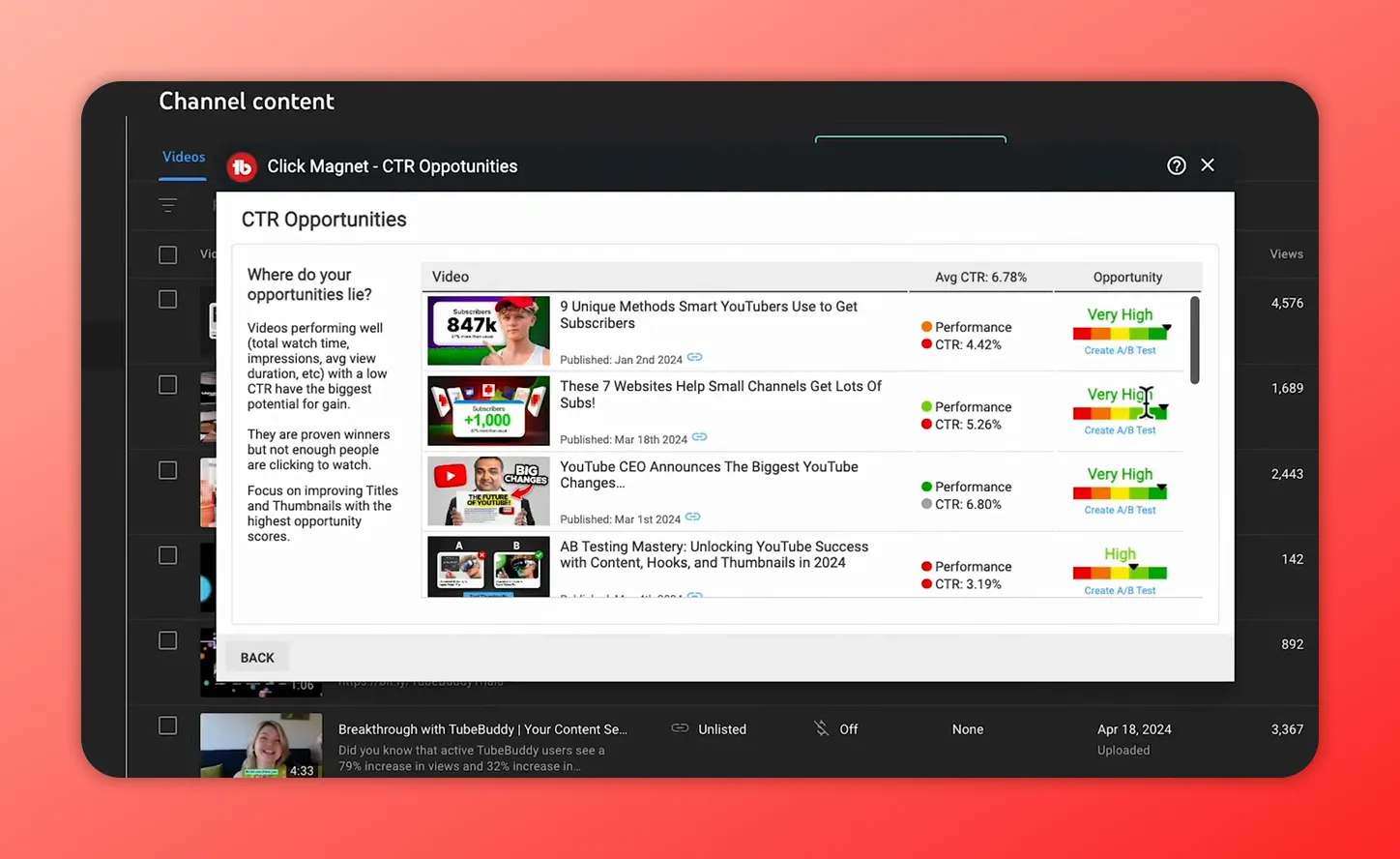
If a video is doing well once people click, improving the title or thumbnail can breathe life into it. That is why successful creators frequently swap thumbnails and test new titles after publishing. Some viewers may notice and comment on the change. Let them. It’s all engagement.
Because the difference between one person out of ten clicking and seven people out of ten clicking often comes down to packaging.
A simple post-upload testing workflow
If you want a practical answer to why is my YouTube video not getting views, build a repeatable testing habit after each upload.
You can do this manually:
- Choose two thumbnail options or two title options.
- Run one version for roughly 24 hours.
- Switch to the other version for the next 24 hours.
- Track key metrics such as views, likes, comments, dislikes, and CTR.
- After a week or so, keep the version that performs best.
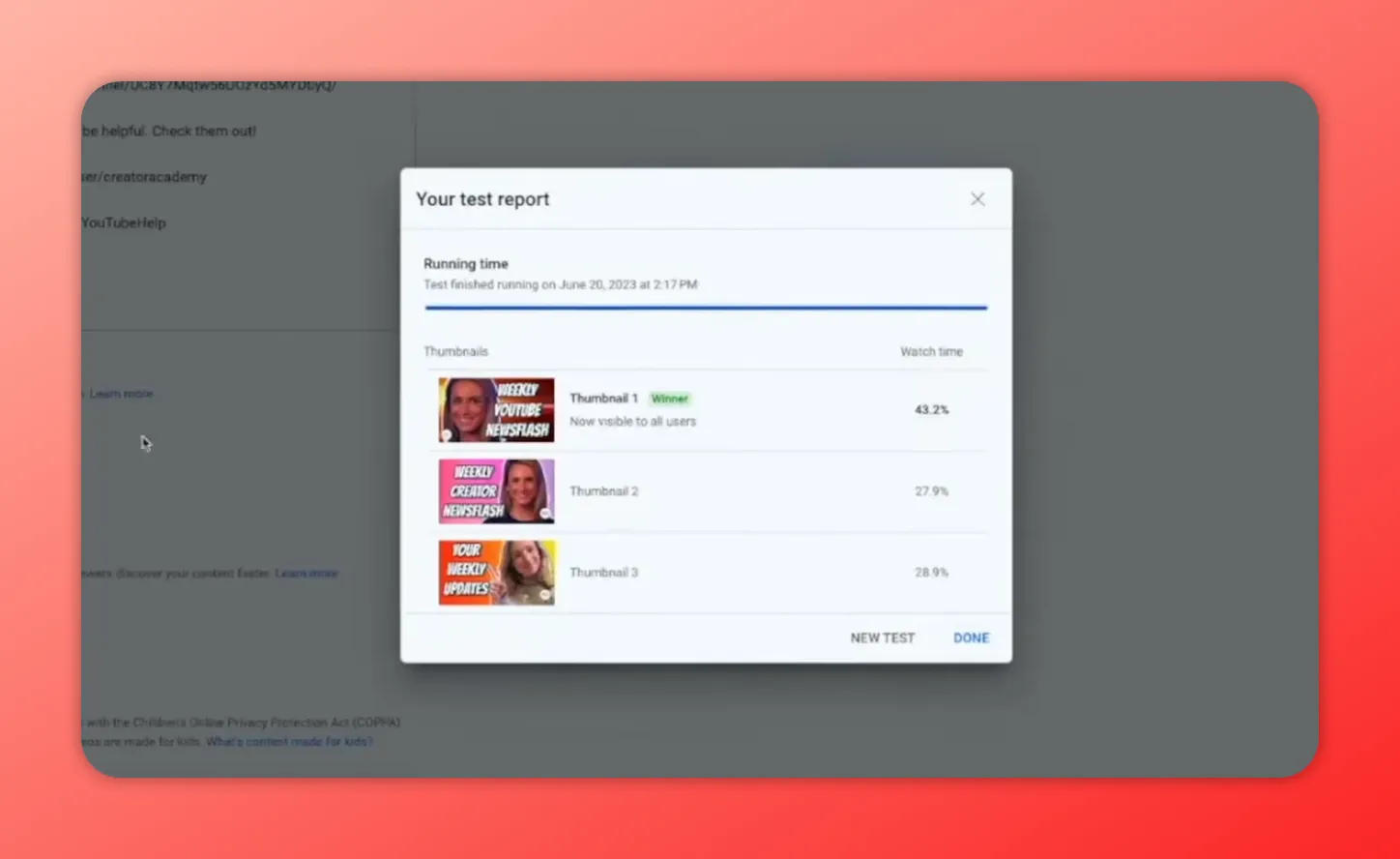
That approach works, but dedicated testing tools are more efficient because they can measure results more systematically and test more metadata fields.
TubeBuddy’s updated testing tools can compare not only thumbnails, but also titles, descriptions, and tags, with analytics tied to CTR, watch time, and engagement. In one cited example, a simple title change increased views by 30% on a single video. That is exactly why post-upload testing matters.
If you want a fuller walkthrough of the process, start with TubeBuddy’s guide to YouTube A/B testing.
A practical checklist for every underperforming video
Whenever you find yourself asking why is my YouTube video not getting views, run through this quick audit before assuming the platform is against you:
- Topic: Is the angle genuinely interesting, or just accurate?
- Title: Does it create curiosity or highlight a meaningful outcome?
- Thumbnail: Is it clear, emotional, readable, and uncluttered?
- CTR: Are impressions happening, but clicks lagging behind?
- Retention: Once people click, are they staying?
- Iteration: Have you tested alternate packaging after publishing?
That checklist helps you avoid a common mistake: treating all low-performing videos as if they failed for the same reason.
Small changes can create disproportionate results
One of the most encouraging parts of this whole framework is that it does not require a total channel reinvention. In many cases, growth comes from doing some basic things, but doing them deliberately and repeatedly.
A better frame can make a familiar topic feel fresh. A cleaner thumbnail can turn impressions into clicks. A single title revision can unlock a video that was already performing well once people got into it.
That is especially important for smaller channels. Breakthrough moments rarely look dramatic while they are being built. They are usually the result of many small corrections made over time.
It takes years of work to become an overnight success.
That idea fits YouTube perfectly. Channels often spend years learning what makes people click, what keeps attention, and what deserves to be tested after publish. Then one day the compounding shows up in a way that looks sudden from the outside.
Frequently asked questions
If the content is strong but the clicks are low, the most likely issue is packaging. A weak title or thumbnail can suppress interest before anyone gives the video a chance. Check whether retention and engagement are solid among the people who do click. If they are, your problem is probably not the video itself.
Look at the performance signals after the click. If retention, average view duration, comments, and overall engagement are poor, the content likely needs work. If those metrics are healthy but CTR is low, packaging is the more likely issue.
Yes, if the data suggests the packaging is weak. Changing a thumbnail after upload is a normal optimization step. Many creators improve performance significantly by replacing a thumbnail that is not earning enough clicks.
Absolutely. Reframing the exact same topic can change how compelling the video feels. In one example discussed here, a simple title change led to a 30% increase in views. The better the underlying content, the more leverage a title change can have.
A strong thumbnail is colorful, legible, emotional, uncluttered, and clear enough to explain the video without relying on the title. It should stop the scroll quickly and make the core idea obvious at a glance.
Start with the thumbnail and title. If needed, test descriptions and tags as well. Focus on one change at a time when possible, and compare the impact on CTR, watch time, and engagement.
Get an unfair advantage on YouTube
Give your YouTube channel the upper hand and easily optimize for more views, more subs, and more of every metric that matters.
Get Started
Conclusion
If you are still asking, why is my YouTube video not getting views, start with the three highest-leverage fixes: frame the idea better, package it more clearly, and keep optimizing after upload.
Those three habits solve a surprising share of underperformance on YouTube. They also give you a much more useful response than vague advice about “just keep posting.” Keep posting, yes, but also make each upload easier to click, easier to understand, and easier to improve after it goes live.
Because sometimes the difference between a video that stalls and a video that takes off is not a complete remake. It is one stronger angle, one better thumbnail, or one smarter test.
For more YouTube strategy and optimization resources, browse the TubeBuddy blog.